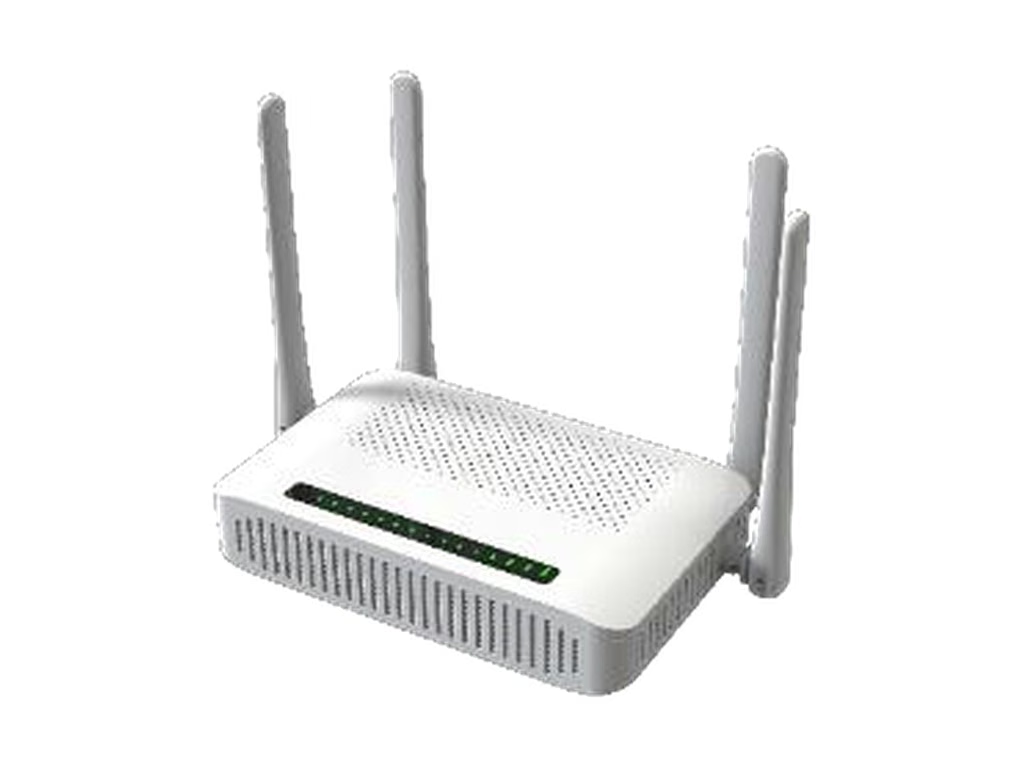
Short answer: Put a GPON ONT with built-in LTE or 5G at sites where losing the connection costs real money or where the fiber is not dependable yet: hotels, shops, clinics, business plans with an uptime commitment, and areas where the fiber network is still being built. Everywhere else, a pure GPON ONT is the better buy, because a cellular modem nobody uses is cost on every unit and a SIM that nobody manages is a problem later. In AceTel’s range that means the TG960L or TG900L (LTE Cat6) or the TG924NR (5G NR) for dual-mode sites and the TG6241C for fiber-only sites.
Many operators end up with both: pure GPON for the bulk of residential installs and dual-mode for the business and premium tiers. This guide helps you draw that line.
The question to ask first
Do not start with the hardware. Start with what happens at a given site when the fiber goes down for an afternoon:
- Nothing much: the subscriber uses mobile data on their phone and waits. Pure GPON is enough.
- A complaint call: a premium home plan or a home office. Dual-mode can be sold as an add-on, but it is not essential.
- Lost revenue or a broken service promise: a hotel that cannot check guests in, a shop that cannot take card payments, an office on a business plan with an uptime clause. This is where a second WAN path pays for itself.
How the backup path behaves during an outage, and what subscribers notice, is covered in detail in our GPON failover guide.
When dual-mode GPON + cellular is worth it
- Business subscribers with an uptime commitment. If your contract promises availability, a second path on a different network is the cheapest way to meet it without a second fiber.
- Payment and booking-dependent sites. Hotels, restaurants, shops and clinics whose daily work runs on cloud systems.
- Fiber still being built out. Areas with new or frequently disturbed drop cables, aerial fiber exposed to storms, or ongoing civil works.
- Sites where a truck roll is expensive. Rural or remote premises where a fiber repair can take days. The cellular path keeps the site usable until the crew arrives.
- Premium home plans. “Backup internet included” is a feature you can charge for, and with one box it does not add an installation step.
Before you commit, confirm three things: your mobile operator’s bands match the unit (TG960L/TG900L: LTE-FDD B1/B3/B5/B7/B8/B20/B28, TDD B38/B40/B41, no North American bands such as B2, B4, B12, B13 or B66; TG924NR: 5G NR SA n1/n3/n5/n7/n8/n20/n28/n38/n40/n41/n66/n77/n78 and LTE-FDD B1/B2/B3/B4/B5/B7/B8/B20/B28/B66, TDD B38/B40/B41), indoor signal is adequate where the ONT will be mounted, and someone owns SIM provisioning, data plans and APN settings.
When pure GPON is enough
- Mass residential rollouts where cost per unit drives the business case and subscribers accept the occasional outage.
- Sites with no usable mobile signal at the ONT location. A cellular modem that cannot register adds nothing.
- Installs that need more wired ports. The TG6241C has four Gigabit LAN ports. The TG960L and TG900L have two LAN ports plus one WAN port. (The 5G TG924NR also has four LAN ports, so port count alone is not a reason to drop cellular.)
- Buildings already served by another backup. If the site has its own cellular router or a second line, a second modem in the ONT duplicates it.
- In-room fiber in hotels. For fiber-to-the-room, per-room ONTs only need fiber and Wi-Fi; backup belongs at the building’s core, not in every room. See our hotel Wi-Fi solutions.
LTE or 5G for the backup path
Once a site needs a second path, the next question is how much it has to carry while the fiber is down:
- LTE Cat6 (TG960L, TG900L): enough for payments, booking systems, email, cloud phones and normal browsing. The lower-cost choice for most backup-only sites.
- 5G NR (TG924NR): for sites that expect close to normal service during an outage, such as guest Wi-Fi, video calls or larger cloud workloads, and where 5G coverage at the install location is good. Its datasheet also describes 5G-only access, so it can serve a shop or office before the fiber arrives and keep running on the same gateway afterwards.
5G is not automatically the better choice. Check 5G coverage at the actual install points, compare SIM data costs, and remember that a backup link which is fast enough to stream video will also use data faster if nothing limits it.
How the four AceTel ONTs differ beyond the cellular modem
The modem is not the only difference. The datasheets list a few other contrasts that may decide the choice on their own:
| TG924NR | TG960L | TG900L | TG6241C | |
|---|---|---|---|---|
| Cellular + SIM slot | 5G NR SA/NSA, LTE Cat12/13 | LTE Cat6 | LTE Cat6 | None |
| Wi-Fi | BE3600 Wi-Fi 7, MLO, EasyMesh | AX3000 Wi-Fi 6, EasyMesh | AC1200 Wi-Fi 5 (300 + 900 Mbps) | AX3000 Wi-Fi 6 (574 + 2400 Mbps, 2x2) |
| Wi-Fi security (as listed) | Up to WPA3 / WPA3 Mixed | WEP, WPA/WPA2, WPA-PSK/WPA2-PSK | Same as TG960L | WPA3 |
| Ethernet | 1x 2.5G LAN + 3x Gigabit LAN | 2x Gigabit LAN + 1x Gigabit WAN | Same as TG960L | 4x Gigabit LAN |
| USB | 1x USB 3.0 | Not listed | Not listed | 1x USB 2.0 |
| Voice | 1x FXS, SIP | 1x FXS, SIP | 1x FXS, SIP | 1x FXS, SIP and H.248 |
| Remote management | Local and remote (protocol not named) | OMCI | OMCI | OMCI and TR-069 / TR-098 / TR-181 |
| Power | DC 12V 2.5A | DC 12V 1.5A | DC 12V 1.5A | DC 12V 1.5A |
What this means in practice:
- TR-069 matters if you run an ACS. The TG6241C lists TR-069 alongside OMCI. The TG960L and TG900L list OMCI only, and the TG924NR datasheet lists remote management without naming the protocol. If your provisioning and monitoring depend on an ACS, raise it before choosing a dual-mode unit. It also matters for failover: OMCI runs over the fiber, so it is not available while a site is running on the cellular path.
- WPA3 is listed on the TG924NR and TG6241C; H.248 on the TG6241C only. If your operator policy requires WPA3, or your voice platform uses H.248 instead of SIP, check these on the firmware of the model you choose before ordering.
- Port count. Two LAN ports plus a WAN port suit a home or small office. Four LAN ports, as on the TG924NR and TG6241C, suit sites with a desktop, a printer, a set-top box and a phone system all wired in. The TG924NR’s 2.5 Gbps port also suits a NAS or a downstream switch.
Choosing between the dual-mode units
If a site needs LTE rather than 5G, the TG960L and TG900L share the same GPON port, LTE modem, ports, voice and housing. The only difference is Wi-Fi:
- TG960L (AX3000 Wi-Fi 6, EasyMesh): gigabit-class plans, many connected devices, or mesh coverage sold as an add-on.
- TG900L (AC1200 Wi-Fi 5): entry and mid-tier fiber plans where unit cost matters more than peak Wi-Fi speed.
The TG924NR sits above both: 5G NR plus Wi-Fi 7 for premium and business plans. A common split is TG924NR for business plans that need full-speed backup or 5G-first service, TG960L for business and premium plans where LTE backup is enough, and TG900L for cost-sensitive plans that still need backup. The full LTE comparison is in our TG960L vs TG900L selection guide.
Decision summary
| Site or plan | Recommended | Why |
|---|---|---|
| Mass residential, cost-driven | TG6241C | No unused cellular modem; Wi-Fi 6 and four LAN ports |
| Residential with ACS-based management | TG6241C | TR-069 listed alongside OMCI |
| Hotel rooms (fiber-to-the-room) | TG6241C | Backup belongs at the building core |
| Hotel reception, shops, clinics | TG960L | LTE backup plus Wi-Fi 6 for staff and guest devices |
| Business plan with uptime commitment | TG960L or TG924NR | TG924NR when the backup must carry near-normal traffic |
| Site that needs service before fiber arrives | TG924NR | Datasheet describes 5G-only access; same box once fiber is live |
| Premium home plan with many devices | TG924NR | Wi-Fi 7 with MLO and EasyMesh, 5G when fiber is down |
| Cost-sensitive plan that still needs backup | TG900L | Same LTE and voice as TG960L, lower Wi-Fi tier |
| Area where fiber is still unreliable | TG900L, TG960L or TG924NR | Pick by backup speed and Wi-Fi tier of the retail plan |
Common questions
Can I install a TG960L or TG900L without a SIM and add LTE later?
Yes. The GPON, Ethernet, Wi-Fi and FXS functions do not depend on the LTE modem, so you can deploy without a SIM and activate backup later as an upsell.
Is it cheaper to add a separate cellular router only at sites that need one?
It can be, if only a small share of sites need backup. The trade-off is two devices and two power supplies at those sites. Our failover guide compares the one-box and two-box designs.
Does the TG6241C have any cellular option?
No. It is a fiber-only GPON ONU. For a cellular path at a TG6241C site, use the TG960L, TG900L or TG924NR instead, or add a separate cellular router.
Can the TG924NR be used where there is no fiber yet?
Its datasheet describes 5G/4G access through the SIM card for sites without cable or fiber, such as shops, restaurants, rental housing and small offices. Confirm the WAN mode you need (5G only, then fiber with 5G backup once the fiber is connected) on the firmware you will deploy.
Can these models carry our branding?
Yes. Logo, packaging and firmware defaults can be customized through our White Label Program.
Request samples
To compare dual-mode and fiber-only units on your own OLT, request evaluation samples from the TG924NR, TG960L, TG900L or TG6241C product pages, or write to [email protected] with your operator, country, site mix and quantities.
Technical insight published by AceTel's Field Application Engineering (FAE) and Hardware Architecture team. Tested across 3GPP and carrier-grade RF laboratory standards. Have project questions? Consult our engineers.