Most MiFi white label projects go wrong in the same few places, and none of them are about the logo. They are about bands, eSIM, the default language of the interface, and an approval your carrier never told you about until the samples were already built.
This guide walks through a 5G RedCap MiFi white label project using the AceTel M06 as the base hardware. The order below is the order we suggest you decide things in. If you are still comparing RedCap against LTE or full 5G, read 5G RedCap MiFi Explained first.
1. Pick the band version before anything else
The M06 comes in a standard, an EU and a North America band configuration. Your carrier’s 5G SA bands decide which one you need, and everything downstream follows from it: the certification scope, the carrier tests, even which sample you evaluate.
Write down your operator’s n-bands and LTE fallback bands, then compare them with the table in the product spec. The EU and North America lists are regional variant targets and AceTel engineering confirms the final list when you request a quote, so ask for it in writing before you order samples.
2. Decide what “white label” means for you
There are two different things people call white label, and they have different MOQs.
| Standard white label | Full private label | |
|---|---|---|
| Housing | Your logo, printed or etched | Same, with color matching where volume allows |
| Packaging | Standard box with your sleeve or top label | Four-color retail box and printed quick-start guide |
| Software | Default firmware branding, preset APN | Custom Web GUI theme, device labels |
| MOQ | 100 units | 500 units |
These MOQs come from our White Label Program. The M06 specifics, including the lead time for this model, are confirmed at quotation, because we have not published a fixed M06 schedule.
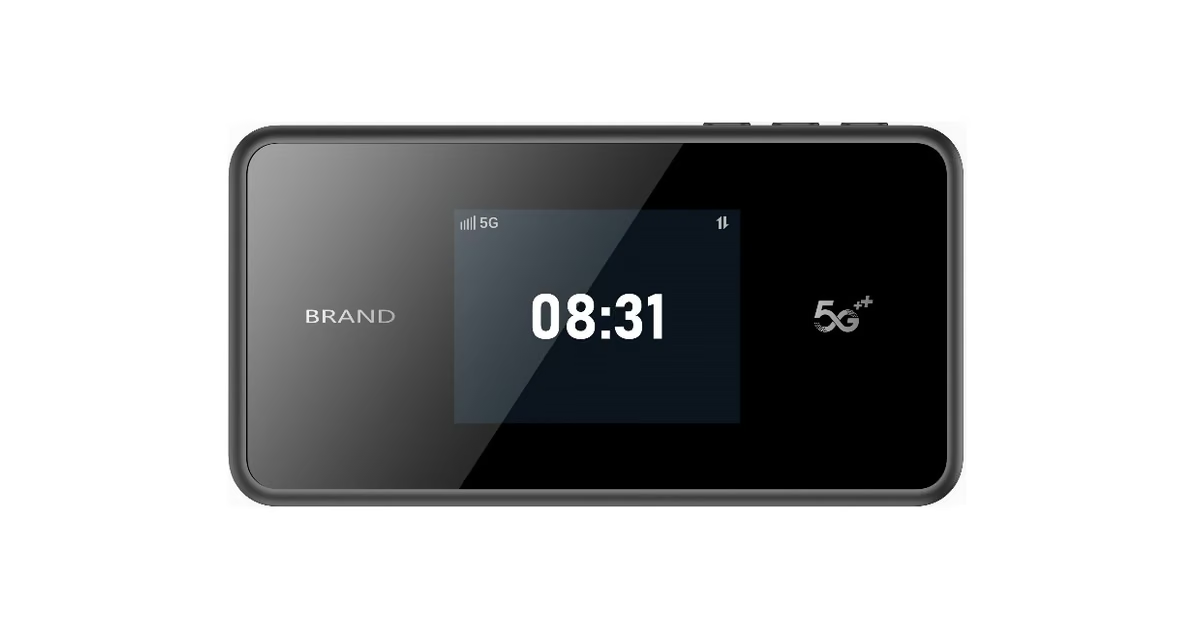
On the M06 the things you can change are the housing finish and printing, the carrier logo on the 2.4-inch display, the interface language, firmware defaults and packaging.
3. Fix the language and the defaults
The M06 interface comes in English and Chinese. If you need another language, a specific default language or your own wording on the admin pages, say so in your first message. The same goes for default SSID naming, the Wi-Fi password scheme, the admin page address and the APN. These are all set at the factory and cost almost nothing to get right at the start and a sample round to fix later.
Anything deeper than defaults, such as a custom portal, a specific management protocol or carrier-specific behavior, is a custom firmware project and has its own timeline.
4. Sort out SIM and eSIM before you print boxes
The M06 has two Nano SIM slots and two eSIM profiles. A physical SIM is simple. The eSIM side is not, because the profile comes from your carrier or SIM partner, not from us. Agree early on who loads profiles, at which stage, and how they are tested. If your plan depends on a travel eSIM provider, get a test profile into the first sample round.
5. Check certification and carrier approval separately
The M06 is supported with CE, FCC, CCC, SRRC, NAL and RoHS. For a white label order the usual route is to register the approval under your company name or transfer it, and our program assists with that. Two cautions:
- Certification scope follows the final band configuration, so do not assume a certificate for one version covers another.
- CE and FCC are regulatory approvals. A carrier’s own device certification is a separate process with separate tests and fees. If you sell through a carrier that requires it, start that conversation before you commit to a production quantity.
Also plan the shipping: the M06 has a removable lithium-ion battery, which has transport rules of its own. Ask your forwarder what paperwork they want.
6. A realistic timeline
Our standard program runs about four weeks from confirmed artwork to shipment, with branded golden samples in 5 to 7 business days. In practice the schedule depends on how fast you approve artwork and on whether certificate transfer is needed, so treat four weeks as the best case and confirm the M06 figure with us.
| Step | What happens |
|---|---|
| Artwork | You send vector logo files and packaging artwork; we return mockups |
| Golden sample | Branded samples built and shipped for your lab and carrier tests |
| Sign-off | You test bands, eSIM, battery, display and defaults, then approve |
| Production | Assembly, testing, packing and freight |
7. What to send us in the first message
- Target countries and the operator(s), with their 5G SA and LTE bands
- Quantity for the first order and the expected annual volume
- Logo files in vector format (AI, EPS or PDF)
- Interface language, default SSID and APN
- SIM plan: physical SIM only, or eSIM too, and who provisions it
- Whether the carrier requires its own device certification
With these six items we can usually tell you the right band version, the MOQ tier and which parts of the schedule are at risk.
Where to start
Request a branded sample through the M06 product page or write to [email protected]. If you have a spec from another supplier that you want us to compare against, send that too.
Technical insight published by AceTel's Field Application Engineering (FAE) and Hardware Architecture team. Tested across 3GPP and carrier-grade RF laboratory standards. Have project questions? Consult our engineers.